Setting Up SkyLrr is Simple.
Let's Show You How.
Follow these four simple setup steps to automate your coaching center's daily operations. Configure batches, enroll faces, set up the gate, and focus on what you do best—teaching.
Set Up Your Coaching Batches
First, define all the classes and batches running at your institute. Organize them by grade levels and schedule periods. For example, add:
- Class 11 Morning Batch — 7:00 AM - 9:00 AM
- Class 12 Evening Batch — 5:00 PM - 7:00 PM
- Foundation Target Batch — 10:00 AM - 1:00 PM
Adding these time-slots allows SkyLrr to verify student logins against the correct batch schedules dynamically.


Enroll Students With Their Face
Next, register your students. Simply enter their details and upload a photo of their face.
No Keycards or Biometrics Needed: Save huge costs on dedicated biometrics scanners or identity cards.
Quick Photo Upload: Teachers can upload student photos from any mobile browser, computer, or take a quick selfie photo.
Once the profile photo is registered, the facial feature points (descriptors) are converted into secure coordinates.
Set the Phone at the Classroom Gate
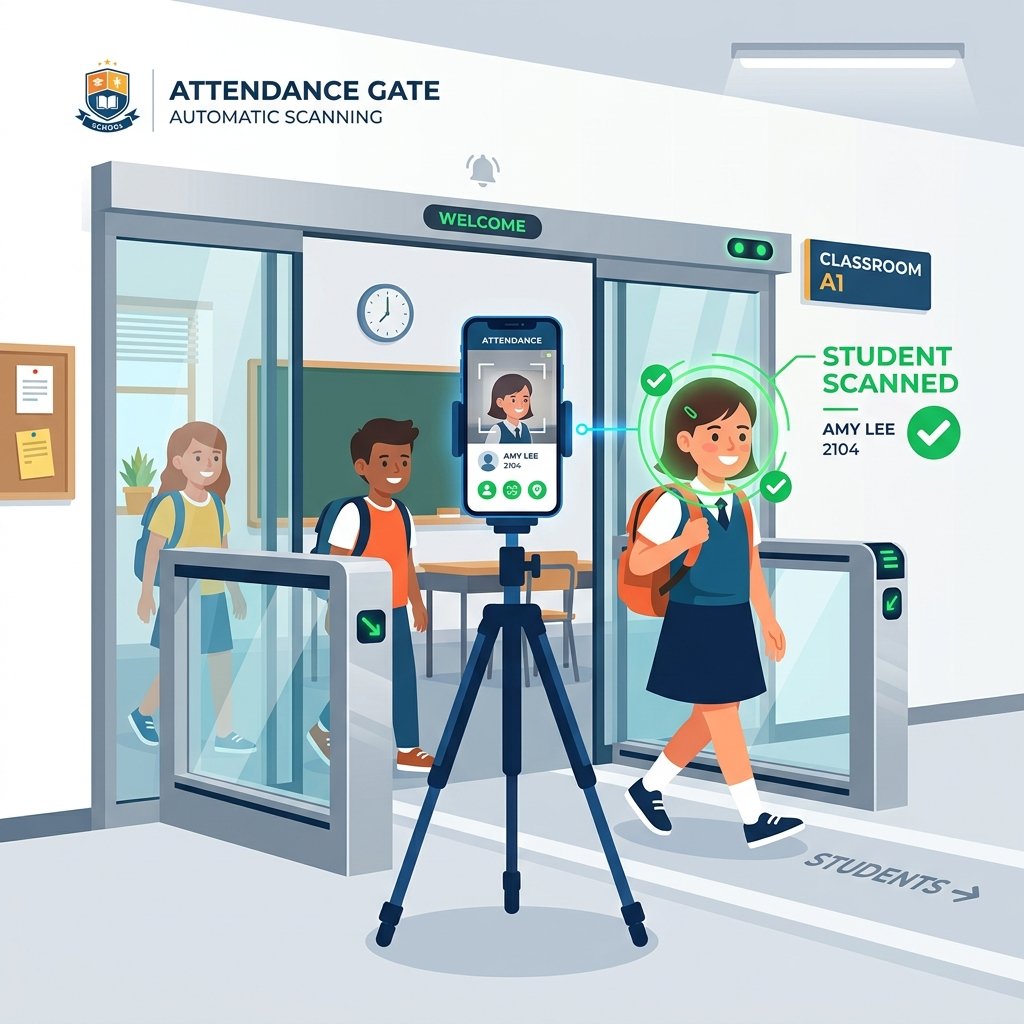
Every morning as students arrive, open the **Auto Attendance** screen on a tablet or mobile phone, place it on a stand near the classroom entrance/gate, and you're set!
Zero-Interaction Scan: Students just stand in front of the screen for 1 second. The app detects their face, marks attendance, and greets them.
Instant logs: Attendance details are instantly logged to the cloud database for parents and admins.
Now You Focus on Teaching, We Handle the Rest
SkyLrr works autonomously in the background to handle the administrative burdens of your coaching center. Here's what we automate for you:
Parent WhatsApp Alerts
Sends entry and exit notifications instantly to parents' WhatsApp.
Fee Management
Tracks monthly fee dues and dispatches automated invoice receipts.
Student Analytics
Generates real-time visual progress & attendance metrics.
Payroll & Staff logs
Automates teacher attendance and payroll salary computations.
Digitize Your Classroom in Minutes
Stop wasting 15 minutes of every lecture taking manual roll calls. Start automating with SkyLrr today!
One Dashboard. Complete Control.
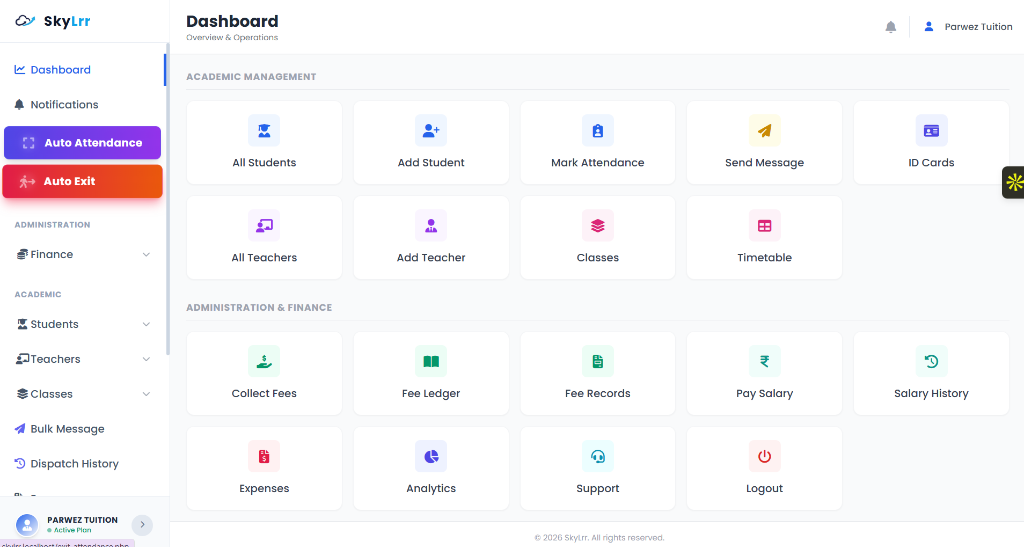
Once set up, SkyLrr gives you full access to a centralized management console. Track expenses, automate alerts, and view analytics in real-time.
Daily Attendance Logs
Generate comprehensive attendance reports daily. Track entry and exit timestamps for students and staff automatically.
Automated Fee Collection
Draft fee invoices, log payments, print receipts, and track unpaid accounts directly from the ledger.
Due Payment Alerts
Send friendly payment reminders to parents' WhatsApp or SMS numbers. Keep cash flow steady without uncomfortable phone calls.
Profit & Loss Analytics
Log monthly expenses (rent, utility bills) and teacher salaries to view profit, loss, and growth charts automatically.
Student ID Card Generator
Instantly design and print professional barcode/QR-coded ID cards for your students with their photos.
Homework & Circular Alerts
Post assignments, upload worksheets, share files, and broadcast urgent institute circulars directly to student apps.